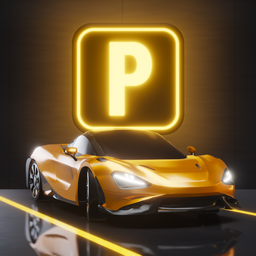
 Valet Master
Grab the keys. Park it. Pocket the tip. A valet parking game with 64 levels and 5 venues.
Anahtarı al. Park et. Bahşişi kap. 64 bölüm ve 5 mekânla bir vale park oyunu (Vale Ustası).
Need a hand?
Yardım mı lazım?
Write to us about a bug or an idea for the game. We read every message.
Bir hata ya da oyun için bir fikir için bize yaz. Her mesajı okuyoruz.
Email supportDestek'e e-posta gönderdevfsk202@gmail.comInclude these and we can help faster
Şunları yazarsan daha hızlı yardım ederiz
- Your device model (for example, iPhone 15)
- Your iOS version (Settings → General → About)
- What you were doing when the problem happened
- Cihaz modelin (ör. iPhone 15)
- iOS sürümün (Ayarlar → Genel → Hakkında)
- Sorun olduğunda oyunda ne yapıyordun
Common questions
Sık sorulanlar
Does the game cost anything?
No. The game is free. One optional purchase, Remove Ads, turns off the ads between levels and gives the bonuses without watching.
Do I have to watch ads?
Reward ads only play when you choose to watch one. A short ad may appear between levels, never while you drive. With Remove Ads there are no ads at all.
I bought Remove Ads. How do I get it back on a new device?
Open Career in the game and tap "Restore purchases" while signed in to the App Store with the same Apple Account.
Can I turn off personalized ads?
Yes. Use "Privacy choices" in the game's Settings, or turn off tracking in iOS Settings → Privacy & Security → Tracking.
How do I start over?
Open Settings in the game and tap "Reset progress". Your progress is stored only on your device.
Oyun ücretli mi?
Hayır. Oyun ücretsizdir. İsteğe bağlı tek satın alma olan Reklamları Kaldır, bölüm aralarındaki reklamları kapatır ve bonusları reklam izlemeden verir.
Reklam izlemek zorunda mıyım?
Ödüllü reklam yalnızca sen izlemeyi seçersen oynar. Bölümler arasında kısa bir reklam çıkabilir, sürüş sırasında asla. Reklamları Kaldır paketiyle hiç reklam çıkmaz.
Reklamları Kaldır'ı aldım. Yeni cihazda nasıl geri getiririm?
Oyunda Kariyer ekranını aç ve "Satın alımları geri yükle"ye dokun; App Store'da aynı Apple Hesabı ile oturum açmış olmalısın.
Kişiselleştirilmiş reklamları kapatabilir miyim?
Evet. Oyunun Ayarlar ekranındaki "Gizlilik tercihleri"ni kullan ya da iOS Ayarlar → Gizlilik ve Güvenlik → Takip'i kapat.
Baştan nasıl başlarım?
Oyunda Ayarlar'dan "İlerlemeyi sıfırla"ya dokun. İlerlemen yalnızca cihazında tutulur.